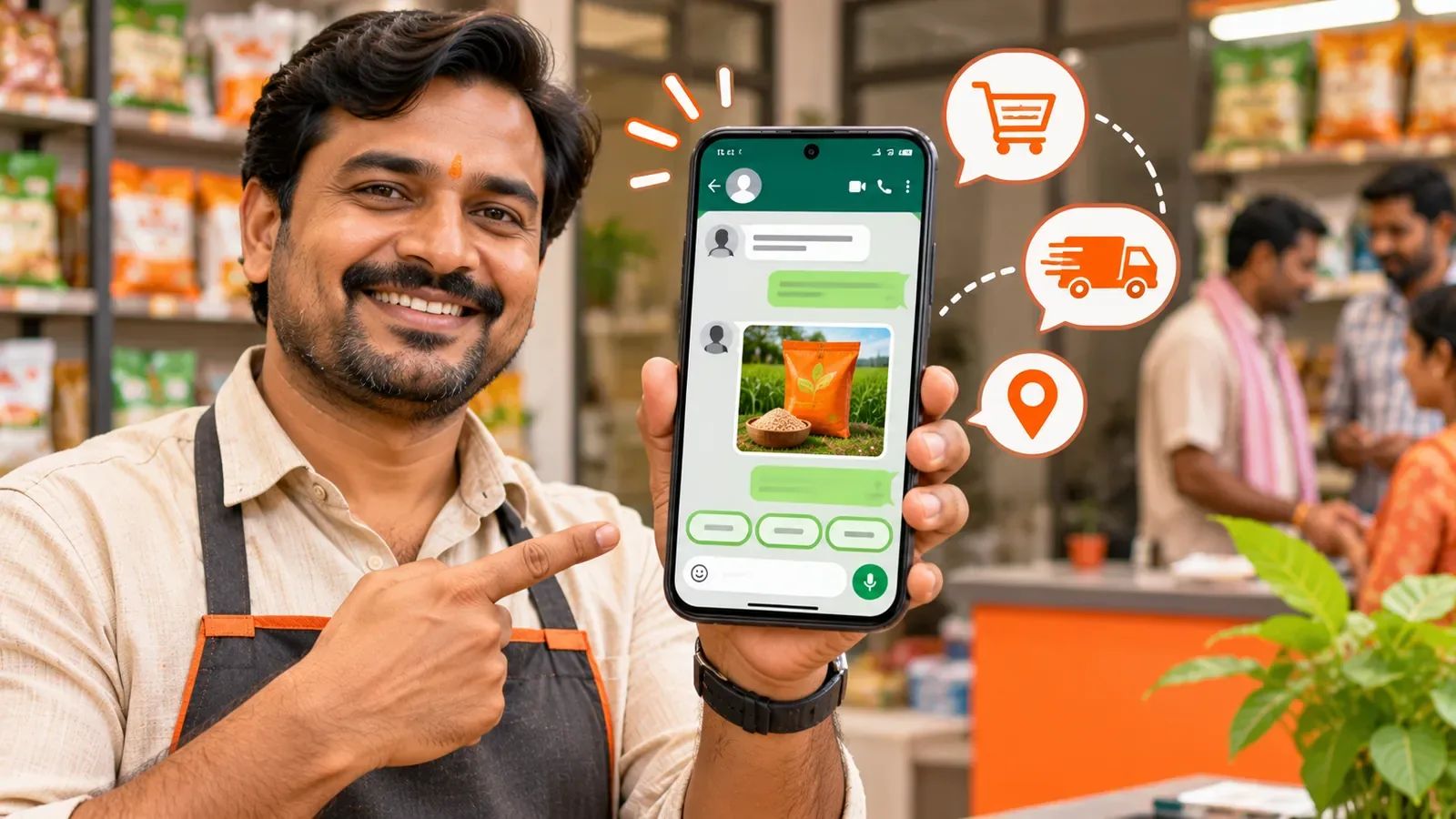
In India, WhatsApp isn't just another channel. It's where your customers already talk to their family, their colleagues and, increasingly, the businesses they buy from. People who ignore emails and screen unknown calls will often read a WhatsApp message within minutes. That's exactly why WhatsApp marketing works so well, and why it goes wrong so quickly when businesses treat it like a free bulk SMS service.
WhatsApp marketing means using WhatsApp to attract, convert and retain customers: answering enquiries, following up leads, sending order updates, sharing offers with people who've opted in, and re-engaging past buyers. Small businesses can start with the free WhatsApp Business app. Businesses that need automation, multiple team members or messaging at scale use the WhatsApp Business Platform (often called the WhatsApp API), which charges per delivered template message.
This guide covers how to choose between the app and the API, how to build an opted-in contact list, what messages to send, how 2026 pricing works in India, the rules that keep your number safe, and how to measure whether it's working.
Why WhatsApp works so well for Indian businesses
- Customers prefer it. Many people would rather send a quick WhatsApp message than fill a form or make a call.
- It's personal. Messages arrive alongside chats from friends and family, so a relevant message gets attention.
- It's fast. Speed of response is one of the biggest factors in converting enquiries, and WhatsApp makes fast replies easy.
- It's rich. You can send photos, videos, catalogues, PDFs, location pins, payment links and buttons.
- It works across the customer journey. From the first enquiry to order updates, support and repeat purchases.
The flip side: because it's personal, people react strongly to unwanted messages. A few blocks and reports can get your number restricted. Every strategy in this guide is built around permission and relevance.
WhatsApp Business app vs WhatsApp Business Platform (API)
| WhatsApp Business app | WhatsApp Business Platform (API) | |
|---|---|---|
| Cost | Free | Per delivered template message, plus provider fees |
| Who it suits | Small businesses replying manually | Businesses needing automation and scale |
| Devices and users | A phone plus a limited number of linked devices | Many agents via a shared inbox |
| Automation | Greeting, away messages, quick replies | Chatbots, flows, CRM triggers, integrations |
| Bulk messaging | Broadcast lists, only reach people who saved your number | Approved template messages to opted-in contacts at scale |
| Integrations | Very limited | CRM, ecommerce, payment, ads and more |
| Green tick / verification | Meta Verified options for eligible businesses | Meta Verified and official business account options |
Rule of thumb: if one or two people handle enquiries and you send a few messages a day, start with the app. If you get dozens of enquiries daily, run ads that start WhatsApp chats, need order notifications, or want follow-up automation, the platform pays for itself.
Setting up the WhatsApp Business app properly
- Use a dedicated business number that you'll keep for years, not a staff member's personal number.
- Complete the business profile: name, category, description, address, hours, email and website.
- Add a catalogue of your main products or services with photos, prices and short descriptions.
- Set up a greeting message for first-time chats and an away message for outside business hours.
- Create quick replies for common questions: price list, location, timings, payment options.
- Use labels to track chat stages: New lead, Quoted, Follow up, Customer, Paid.
- Add a short link or QR code to your website, Google Business Profile, Instagram bio, shop counter and packaging.
How the WhatsApp Business Platform works
The platform is accessed through Meta's Cloud API directly or, more commonly, through a Business Solution Provider (BSP) that gives you a dashboard, shared inbox, chatbot builder and integrations. Key concepts:
- Template messages: business-initiated messages must use pre-approved templates. Templates are categorised as marketing, utility or authentication.
- Customer service window: when a customer messages you, a 24-hour window opens in which you can reply with free-form messages.
- Quality rating: WhatsApp monitors how users respond to your messages. Many blocks and reports lower your quality rating and can limit your messaging.
- Messaging limits: new numbers start with limits on how many unique customers they can message in a rolling period; limits rise as you send good-quality messages.
WhatsApp API pricing in India (2026)
Pricing changed significantly in the last two years, which is why many older guides are now wrong. Meta's developer documentation states that since July 1, 2025, the platform charges on a per-message basis rather than per conversation, with rates varying by message category and the recipient's country.
For India, news coverage of Meta's rate card around the October 1, 2026 update reported marketing messages at about ₹0.8631 per delivered message and utility and authentication messages at ₹0.115 per delivered message, before taxes. From that date, service messages also became chargeable at the utility rate after 1,000 free service messages per business number each month.
| Message category | Used for | Indicative India rate (Meta, before taxes) |
|---|---|---|
| Marketing | Offers, launches, cart recovery, re-engagement | About ₹0.86 per delivered message |
| Utility | Order updates, booking confirmations, payment reminders | About ₹0.115 per delivered message |
| Authentication | OTPs and login codes | About ₹0.115 per delivered message |
| Service | Replies within a customer-started conversation | 1,000 free per month per number, then charged |
Two important notes. First, your provider's invoice usually adds its own markup or platform fee on top of Meta's charge, so a provider may quote a higher per-message price. Second, Meta updates rate cards periodically. Always check the official WhatsApp Business Platform pricing page before budgeting.
A practical cost tip: categorise templates correctly. A genuine order update submitted as a utility template costs far less than the same message categorised as marketing, but don't disguise promotions as utility messages; Meta reviews templates and can recategorise them.
Building an opted-in contact list
Permission is the foundation of WhatsApp marketing. WhatsApp's business messaging policy requires that people have opted in to receive messages from you. In practice, the best lists come from people who started a conversation with you or clearly agreed to updates.
Ways to collect opt-ins
- Click-to-WhatsApp buttons on your website, landing pages and Google Business Profile.
- Click-to-WhatsApp ads on Facebook and Instagram, which open a chat directly.
- QR codes at your counter, on bills, packaging and printed material.
- Checkbox at checkout or signup, clearly worded: "Send me order updates and offers on WhatsApp."
- Instagram bio and story links that open WhatsApp with a pre-filled message.
- Lead forms with explicit consent to be contacted on WhatsApp.
What not to do
- Don't buy contact lists or scrape numbers from groups.
- Don't add people to groups or broadcasts without asking.
- Don't use unofficial bulk-sending tools or modified WhatsApp versions; they violate WhatsApp's terms and frequently lead to bans.
What to send: WhatsApp marketing message types that work
1. Instant replies to new enquiries
The single highest-value use. A quick, helpful first reply with the information people usually ask for, followed by a human response, converts far better than a callback the next day.
2. Lead follow-up
Many leads don't buy on the first conversation. A short sequence over a few days, such as a helpful answer, a relevant photo or video of your work, a reminder of the offer, and a final check-in, recovers sales that would otherwise go cold.
3. Booking and order updates
Confirmations, reminders, delivery updates and payment receipts. These are utility messages, cheaper to send, and they reduce no-shows and support calls.
4. Abandoned cart and browse recovery
For ecommerce, a reminder about items left in the cart, ideally with a reason to complete the purchase such as delivery timing or a limited stock note (only if true).
5. Offers and launches for opted-in customers
Seasonal offers, new arrivals and festival campaigns, sent to segments who are likely to care, not your entire list every time.
6. Review and referral requests
A short message after a successful service with your Google review link, and later a simple way to refer a friend.
7. Re-engagement
Messages to past customers who haven't bought in a while, timed around when they'd typically need you again: service reminders, refills, renewals.
Writing WhatsApp messages people don't block
- Be relevant: segment by interest, purchase history or stage instead of messaging everyone.
- Be short: a few lines, one idea, one clear action.
- Be personal: use the person's name and reference what they asked about or bought.
- Use buttons: quick-reply buttons and call-to-action buttons make responding effortless.
- Include an easy opt-out: people who can stop messages easily are less likely to block you.
- Watch frequency: a weekly promotional message is a lot for most audiences; many businesses do better with fewer, more relevant sends.
- Send at sensible times: avoid late nights and early mornings.
Example of a good follow-up: "Hi Priya, thanks for asking about our kids' summer coding batch. Here's a 40-second video from last year's class. The June batch has 6 seats left. Want me to hold one for Riya? Reply YES or tap the button below to talk to a counsellor."
Automation and chatbots
Automation should make conversations faster, not replace humans where they matter. Useful automations include:
- Greeting with a short menu: prices, location, book appointment, talk to a person
- Capturing details like name, city and requirement before handing over to sales
- Booking flows connected to your calendar
- Order status lookups and payment links
- Follow-up sequences triggered when a lead goes quiet
- Routing chats to the right team member
Always offer an easy path to a real person. A bot that traps people in menus loses customers.
Click-to-WhatsApp ads
Facebook and Instagram ads can open a WhatsApp chat instead of a form or website. They work especially well for businesses that sell through conversation: education, real estate, interiors, clinics, travel and high-value services. The conversation becomes the lead, and your team can qualify and follow up immediately. Combine them with quick automated greetings so nobody waits. See my Meta Ads service for how these campaigns are set up and measured.
WhatsApp groups vs broadcasts vs communities vs channels
| Feature | How it works | Best use |
|---|---|---|
| Broadcast list (app) | One message sent individually to many contacts; only received by people who saved your number | Small, warm lists of existing customers |
| Groups | Everyone sees everyone's messages and numbers | Small communities, events, cohorts; avoid adding people without consent |
| Communities | Several related groups under one umbrella with announcements | Schools, societies, membership businesses |
| Channels | One-way updates that followers choose to follow; follower numbers aren't shown to others | Brand updates, content and announcements |
| API template messages | Approved messages to opted-in contacts at scale | Marketing and utility messages for larger businesses |
Template message examples by category
Templates need approval before use, and the category affects both approval and cost. Here are examples of each, written the way approved templates usually look. Text in curly brackets is filled in per customer.
Utility templates
- Booking confirmation: "Hi {name}, your appointment with Dr. {doctor} is confirmed for {date} at {time}. Reply 1 to reschedule or tap Directions for our location."
- Order shipped: "Hi {name}, your order {order_id} has been shipped and should reach you by {date}. Track it here: {link}."
- Payment reminder: "Hi {name}, this is a reminder that invoice {number} for ₹{amount} is due on {date}. Pay securely here: {link}."
Marketing templates
- Festival offer: "Hi {name}, our Diwali collection is live, and as an existing customer you get early access until Sunday. Browse the range: {link}. Reply STOP to opt out of offers."
- Re-engagement: "Hi {name}, it's been six months since your last AC service. Book a check-up before summer and skip the rush. Tap Book Now."
- Cart reminder: "Hi {name}, you left {product} in your cart. It's still available in your size. Complete your order: {link}."
Authentication templates
- "{code} is your verification code. For your security, do not share this code."
Tips for approval: identify your business clearly, avoid misleading claims, keep promotional language in marketing templates, use variables sensibly, and follow WhatsApp's commerce policy for restricted categories.
How to choose a WhatsApp API provider
Most businesses use a Business Solution Provider rather than building directly on the Cloud API. When comparing providers, look beyond the headline per-message price:
| Question | Why it matters |
|---|---|
| What's the markup on Meta's message rates? | Some providers charge a flat platform fee, others add a margin per message |
| Is there a shared team inbox? | Several agents need to handle chats without stepping on each other |
| How easy is the chatbot / flow builder? | You'll want to change flows without a developer |
| Which integrations are ready? | CRM, Shopify or WooCommerce, Google Sheets, payment links, ads |
| Can you export your contacts and chat data? | You should own your data if you switch providers |
| What support is available? | Template rejections and number issues need quick help |
| Are analytics included? | Delivery, read, reply, click and conversion reporting |
Ask for a trial and test your real use case, such as an ad-driven chat flowing into your CRM, before committing to an annual plan.
Verification and the green tick
Customers trust a business account that looks official. Make sure your display name matches your real business name and follows WhatsApp's display name rules, your profile is complete, and your logo is clear. Meta offers verification options for eligible businesses, such as Meta Verified, that can add a verified badge and extra account protection. Verification helps trust, but it doesn't replace good messaging practices; a verified number that spams still gets blocked.
Privacy and consent in India
India's Digital Personal Data Protection Act, 2023 sets out obligations for businesses that collect and use personal data, including consent and purpose limitation, with rules being phased in. Practically, for WhatsApp marketing that means:
- Tell people clearly what they're signing up for when you collect their number
- Use their data only for what they agreed to
- Make it easy to withdraw consent and stop messages
- Store contact data securely and limit who can access it
- Don't share or sell contact lists
This isn't legal advice, and the rules are evolving, so check current requirements or speak to a professional if you handle large volumes of customer data.
WhatsApp vs SMS vs email
| SMS | |||
|---|---|---|---|
| Rich media and buttons | Yes | Limited | Yes |
| Two-way conversation | Natural | Clunky | Slow |
| Typical attention | High | Medium, mostly OTPs and alerts | Lower, varies by audience |
| Best for | Enquiries, follow-up, updates, offers to opted-in customers | OTPs and critical alerts | Long-form content, newsletters, B2B nurture |
| Cost | Per message on the platform | Per message, DLT registration required in India | Low per message via an email tool |
Most businesses benefit from using all three for what each does best, rather than choosing one.
Keeping your number safe
A banned or restricted number can cost you every conversation you've built. Protect it:
- Message only people who opted in.
- Make the first message clearly identify your business and why you're writing.
- Segment and personalise; avoid identical mass blasts.
- Monitor your quality rating and block rates in your provider dashboard.
- Follow WhatsApp's Business and Commerce policies, including restrictions on certain product categories.
- Never use unofficial bulk tools, modified apps or number-rotation tricks.
- Honour opt-out requests immediately.
What to measure
| Metric | What it tells you |
|---|---|
| Response time | How fast enquiries get a reply; strongly linked to conversion |
| Delivery and read rates | Whether messages reach and get opened |
| Reply and click rates | Whether messages are relevant |
| Leads and sales from WhatsApp | Business impact; track with UTM links and CRM tags |
| Block and opt-out rates | Early warning that messages are unwanted or too frequent |
| Cost per conversation and per sale | Whether paid messaging and click-to-WhatsApp ads are profitable |
WhatsApp marketing ideas by industry
- Clinics: appointment confirmations and reminders, post-visit care instructions, review requests, recall reminders for check-ups.
- Education: demo class bookings, counsellor follow-ups, fee reminders, results and event updates for parents.
- Real estate: brochure delivery, site-visit scheduling, price updates for interested buyers, construction progress for owners.
- Retail and D2C: order and delivery updates, cart recovery, new arrivals for interested segments, festival offers.
- Restaurants: order confirmations, table bookings, loyalty offers for repeat customers.
- Services: quotes from photos customers send, job scheduling, payment links, service due reminders.
A simple 30-day WhatsApp marketing plan
| Week | Focus |
|---|---|
| Week 1 | Set up the Business app or choose a provider, complete the profile and catalogue, create quick replies and labels |
| Week 2 | Add WhatsApp buttons and QR codes everywhere customers find you; start collecting opt-ins |
| Week 3 | Build a lead follow-up sequence and a review request message; train whoever replies to chats |
| Week 4 | Send a first relevant offer to an engaged segment; review response times, replies and block rates |
Does WhatsApp marketing work for B2B?
Yes, but differently. B2B buyers in India often use WhatsApp to share specifications, drawings, quotes and order updates with suppliers they already know. It works well for responding to RFQs quickly, sending product catalogues and data sheets, coordinating dispatch and delivery, and keeping in touch with existing accounts. It works poorly for cold outreach to people who never asked to hear from you. For new B2B relationships, start on email, LinkedIn or a call, and move to WhatsApp once the buyer is happy to talk there. Keep messages professional, share documents as PDFs rather than long text, and log important conversations in your CRM so nothing depends on one salesperson's phone.
Common mistakes
- Using WhatsApp as a free bulk SMS tool
- Slow replies, especially to ad-driven chats you paid for
- Sending the same promotion to everyone every week
- No clear way for people to stop messages
- Bots with no route to a human
- Not tracking which chats became customers
How WhatsApp fits with the rest of your marketing
WhatsApp works best as the conversion and retention layer on top of channels that bring people in: Google search, your Google Business Profile, Meta Ads, Instagram and your website. Email still has a role for longer content and B2B buyers; see email marketing. For the bigger picture on turning enquiries into customers, read how to get leads for your business.
If you'd like help setting up WhatsApp follow-up, click-to-WhatsApp campaigns or automation that doesn't put your number at risk, get in touch.
Written by Aman Potlia.